
Join the Server
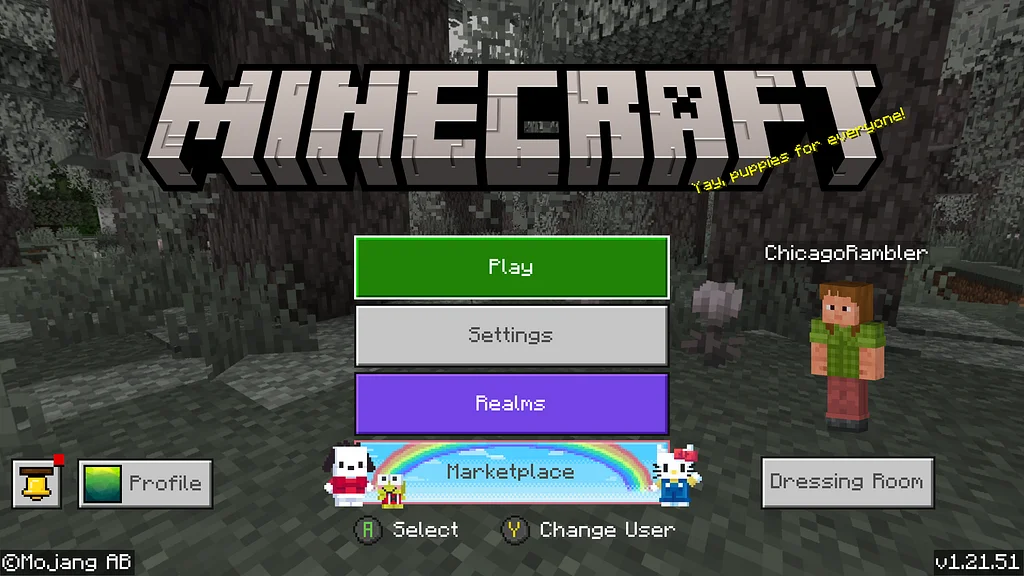
Step 1
Thanks to the hard work of legendary channel VIP King Tykari, we have a wonderful Minecraft community server set up! Claim a plot of land to build at your leisure! The property remains yours as long as you check in once every 30 days.
On the home screen select the "Play" button to begin.
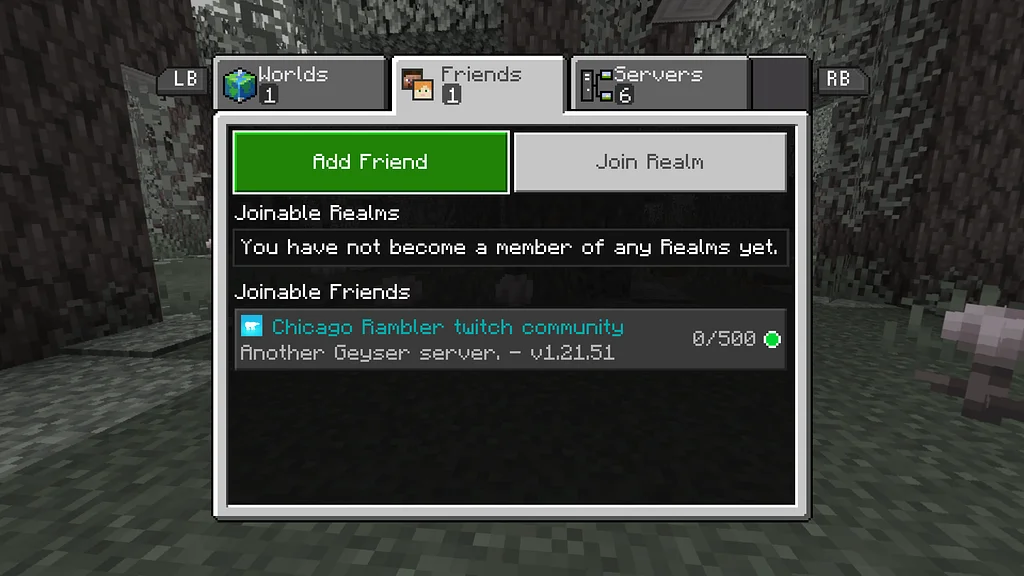
Step 2
Move over to the "Friends" tab and select the "Add Friend" button and enter the server name - FPHSChicago - then GO TO STEP 3.
(If you are using a Java-based version of the game, the process may differ slightly as you will be adding a server address - chicago.fusionprohost.online:5003)
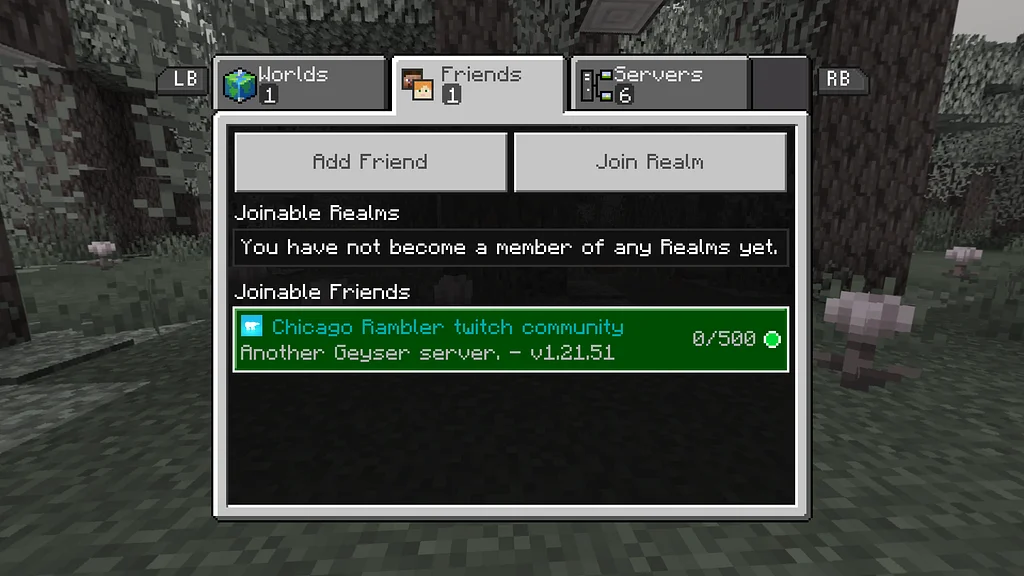
Step 3
Within ~30 seconds of friending the server it will friend you back. You can now join the server by selecting its name from the list.
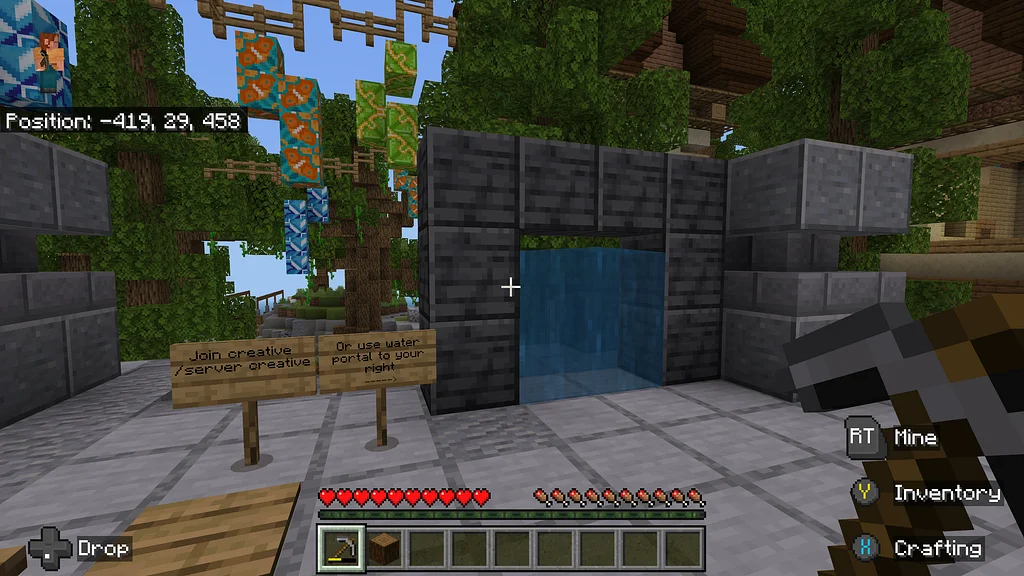
Step 4
Walking through the waterfall (pictured). On the next screen use the Minecraft chat console (ex: right D-pad on Xbox) to type the command /p auto and press enter. A piece of land will automatically be earmarked for you.
You should now find yourself near your plot. Confirm it's yours by checking the sign staked on one of the corners.
On future visits, using the waterfall should take you straight to your plot. If it doesn't, use chat to type the command /p home
Happy building!
Our Latest Merch Drop
Check out our latest merch drop! Then view the full range here.